We Built Reusable Content Blocks for Mautic Emails
October 16, 2026
One of the things I like about Mautic is how much freedom it gives you. But that freedom also means you occasionally run into surprisingly simple workflow problems.
A new Mautic fix every Friday: a plugin or a tutorial
October 16, 2026
One of the things I like about Mautic is how much freedom it gives you. But that freedom also means you occasionally run into surprisingly simple workflow problems.
Why should I have to rebuild the same part of an email again and again?
A footer. A product box. A call-to-action. A standard disclaimer. A hero section. You design it once, get all the spacing and styling right, and then a week later you need exactly the same thing in another email.
Copy and paste works — until it doesn't.
So at Friendly, we built a different solution: Friendly Content Blocks.
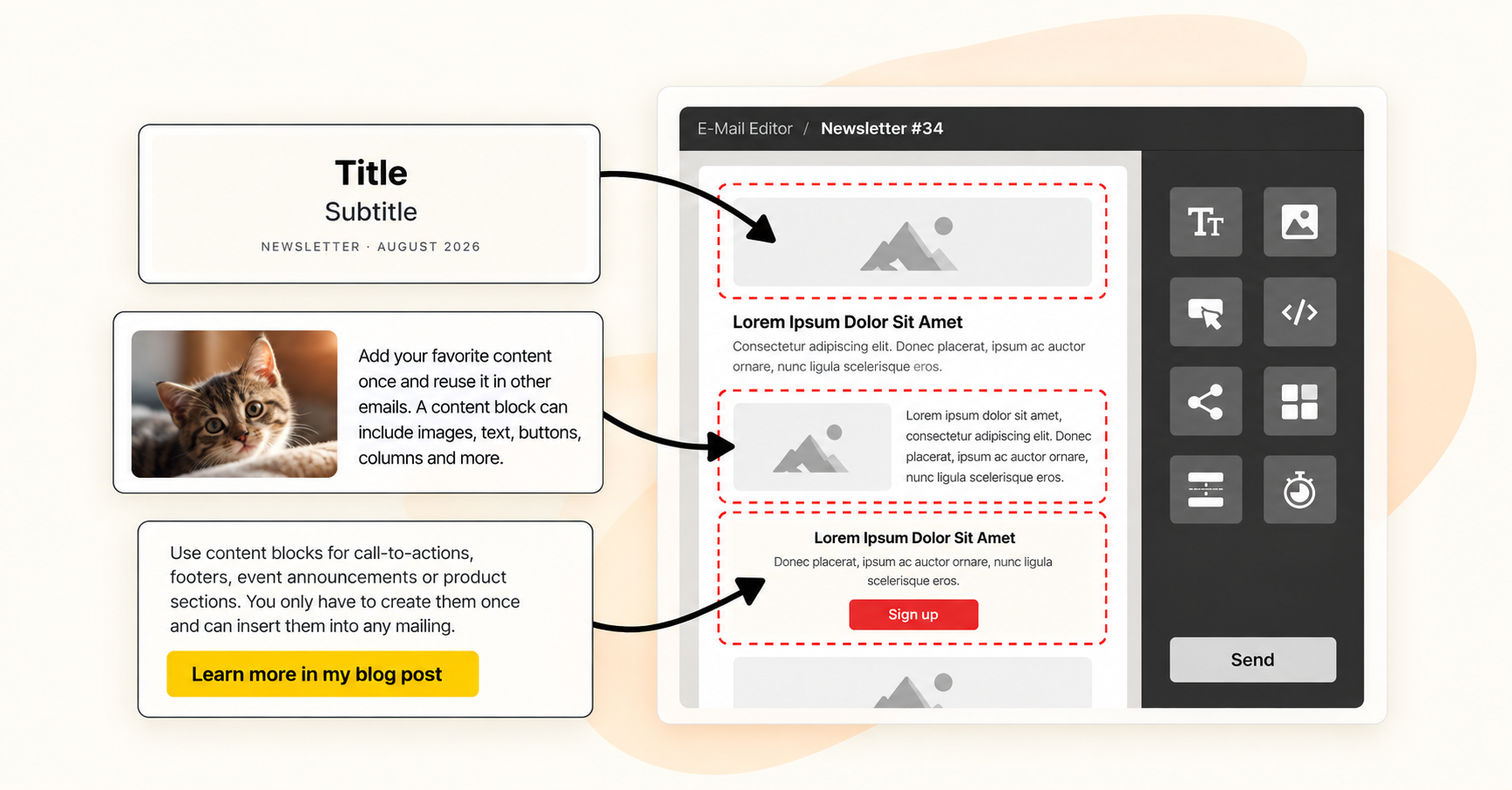
A Content Block is a complete, reusable section of an email.
Instead of saving just a piece of text or an individual component, you can save the whole section. That means the block can contain text, images, buttons, multiple columns and other elements. Friendly Content Blocks
For example, imagine I've built this:
I can save the entire section as a Content Block.The next time I build an email, I don't have to recreate it. I simply insert the block.
The same works nicely for things like:
Those are exactly the kinds of elements that tend to be reused across campaigns.
I wanted this to feel like part of the email builder rather than a separate system bolted onto it.
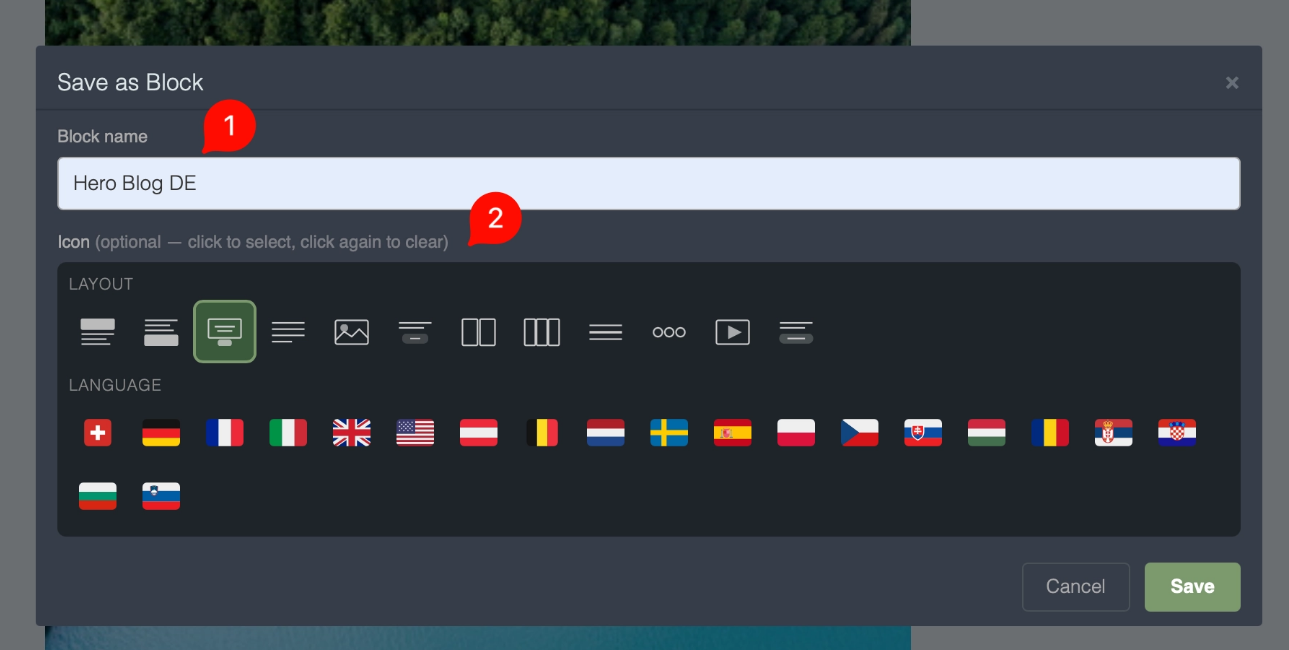
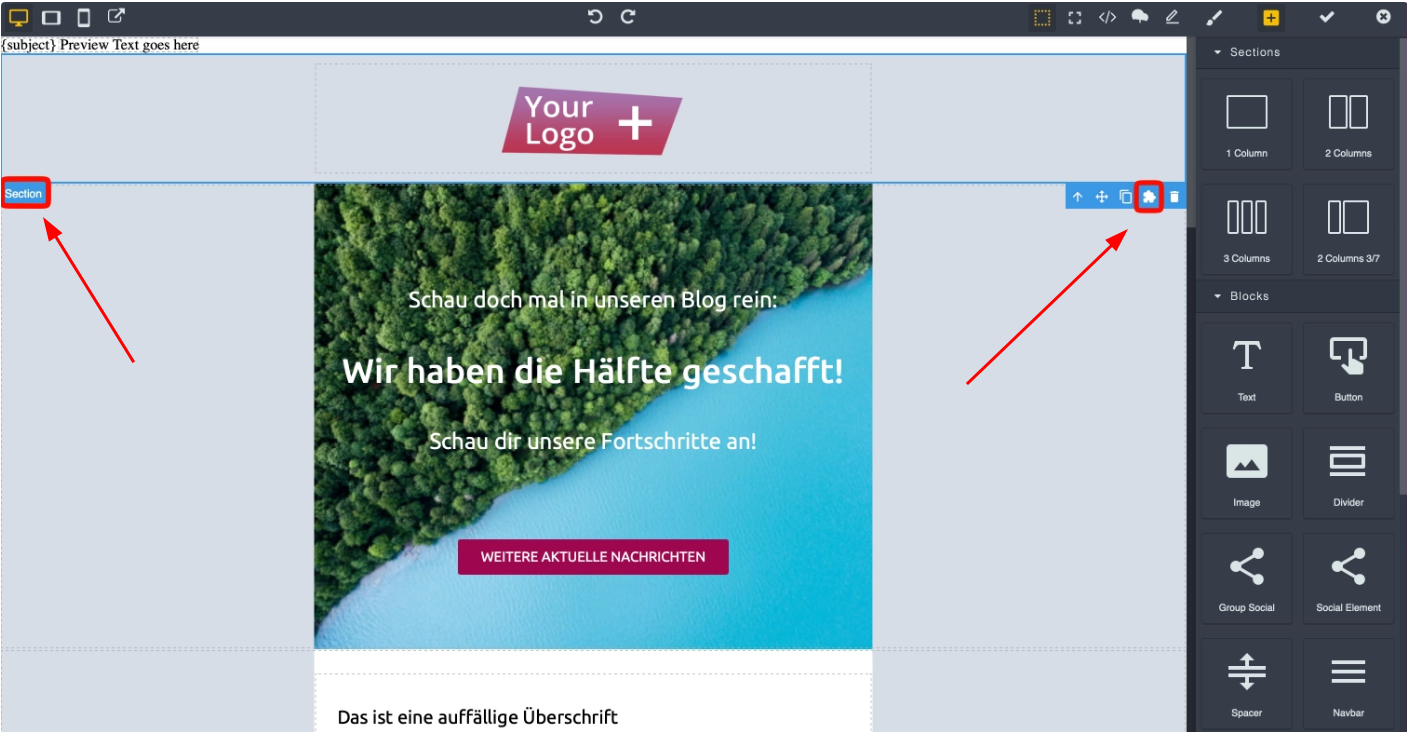
When you're editing an email, you select an entire section. Friendly then shows a puzzle icon for that section. Click it, and you can save the section as a reusable Content Block.
Fill out a name, choose an icon or flag, so you can better organize yourself and that's it.
This distinction between an element and a section is important. An image is an element. A text field is an element. A button is an element.
A section can contain all of them. That's what makes the feature considerably more useful than simply having a library of snippets.
The obvious benefit is speed.
But I think consistency is actually more interesting. Consider a company where several people create newsletters. You probably don't want five slightly different versions of your CTA floating around because everyone copied one from a different old email. Reusable sections give you a starting point that has already been designed and tested.
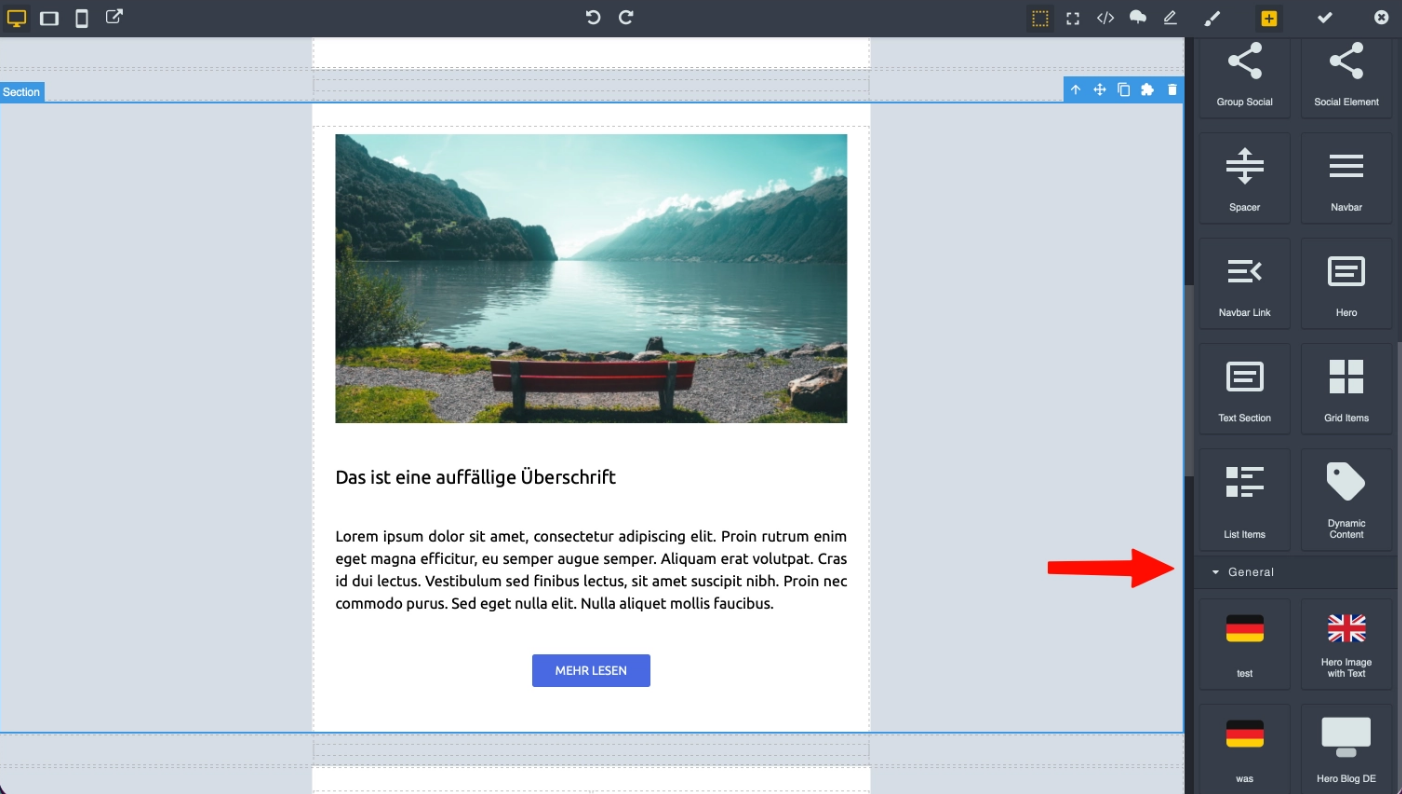
And there's another advantage that's especially relevant when working with email HTML: you touch the layout less often.
Email HTML is still email HTML. Outlook will happily remind you of that fact.
If I've already created and tested a section that works correctly across clients, I'd rather reuse that known-good section than recreate it every time.
One thing that's worth understanding about this kind of system is the difference between reusing content and referencing content.
When you insert a Content Block into an email, you have something you can work with as part of that email.
That is not necessarily the same concept as having one centrally controlled component where changing the original instantly modifies every email that has ever used it.
Those two models solve different problems. But maybe we can unite them... hmm... let's come back to this after couple of weeks.
For email creation, I actually like being able to start with a known component and then adapt it for the particular mailing without worrying that a later change somewhere else will unexpectedly alter my email.
This isn't some revolutionary new marketing automation concept.
And that's precisely why I like it.
A lot of useful software development isn't about inventing an entirely new category of product. Sometimes it's noticing:
"We're doing the same stupid thing over and over again. Why?"
Then you remove that step.
For us, repeatedly rebuilding the same email sections was one of those things.
Now we don't have to.
Want to try it yourself?
Comments
Please log in to post a comment.